
Nulls Brawl iOS
Update Note: Download the latest Nulls Brawl iOS, and explore every extended feature of new update. (v68.279 is available to download)
Introduction
Nulls Brawl iOS is made for iPhone and iPad users who want to explore unlocked brawlers, skins, resources, gadgets, Star Powers, Gears, Hypercharges, and different battle modes in a separate private server setup. This version lets players test new characters, practice team strategies, try premium rewards, and enjoy familiar Brawl Stars mechanics without normal progression limits.
What is Nulls Brawl iOS?
Null’s Brawl iOS is the iPhone and iPad version of the private server made for players who want unlocked brawlers, skins, resources, gadgets, Star Powers, Gears, and Hypercharges in a separate setup. It works through an IPA file instead of the normal App Store method, so users need to follow the correct installation steps. Players use it to test new characters, try different battle modes, practice team strategies, and explore premium-style content without the usual progression limits.
Whats New in iOS Nulls Brawl v68.279
- Introduces Nori and Wendy as new playable brawlers.
- Adds Nano Powers, seasonal events, boss fights, skins, and balance changes.
- Includes Ramen Rebellion and Windstock content for iOS users.
- Brings performance improvements for smoother play on supported devices.
How to Install Null’s Brawl on iOS
Installing Null’s Brawl on an iPhone or iPad requires the IPA file, a computer, and a sideloading tool such as Sideloadly. Follow each step carefully to complete the setup without jailbreaking your iOS device.
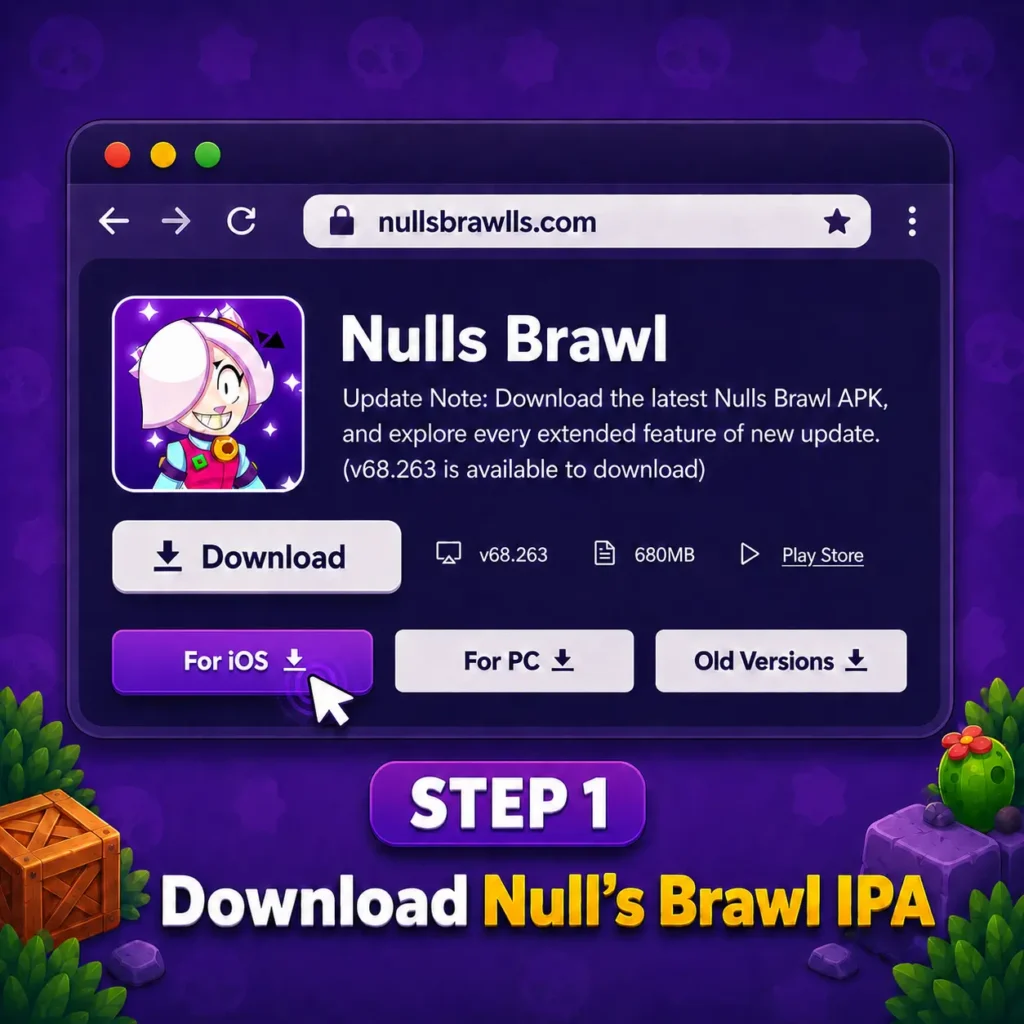
Download Nulls Brawl iOS IPA
Download the current Null’s Brawl iOS IPA from a Nullsbrawlls.com and save it on your computer. Check the version and file size before continuing.
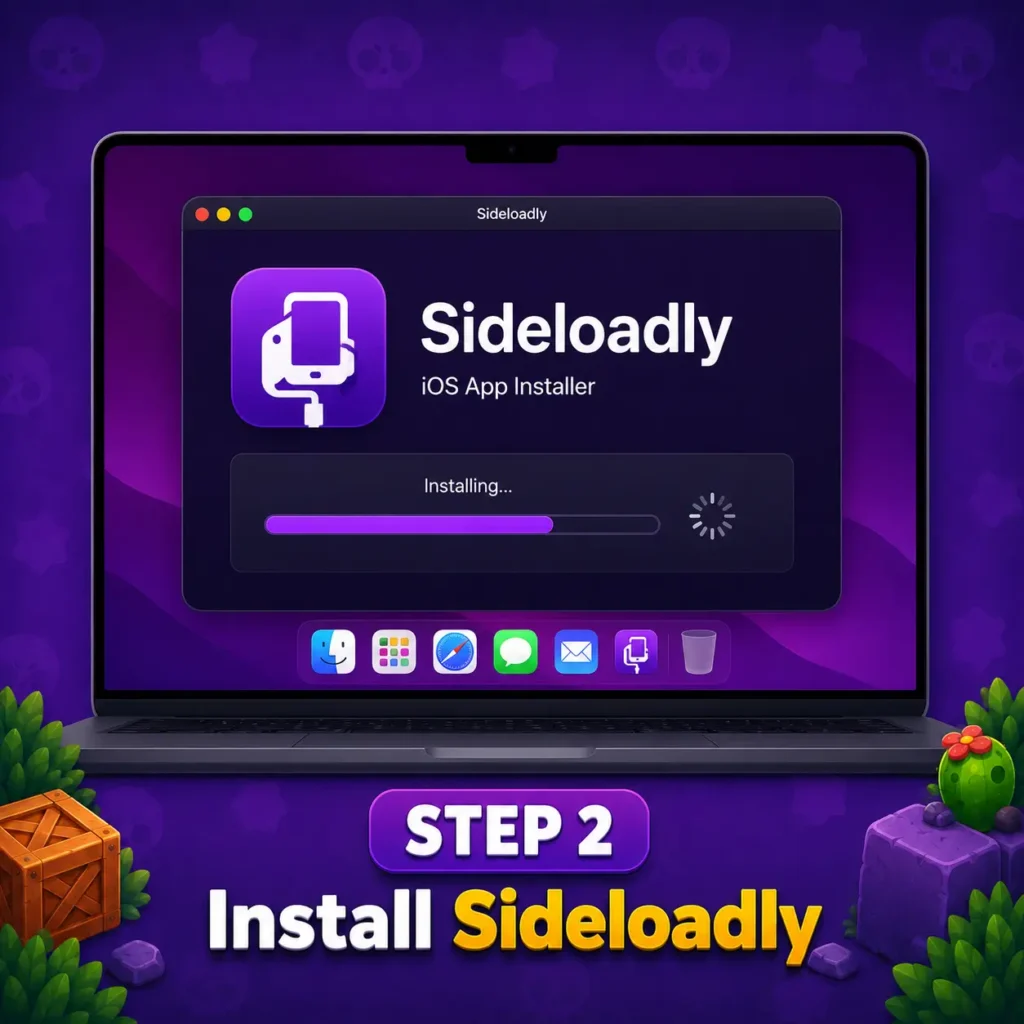
Install Sideloadly
Download and install Sideloadly on your Windows PC or Mac. Windows users may also need the desktop versions of iTunes and iCloud for proper device detection.
Sideload the App
Open Sideloadly, select your connected device, and drag the IPA file of Null Brawl into the application window. Enter the required Apple ID details, then begin the sideloading process.
Verify App on Device
Open Settings > General > VPN & Device Management and trust the developer profile linked to the installed app. This allows iOS to open the sideloaded application
Launch and Play
Open Sideloadly, select your connected device, and drag the IPA file of Null Brawl into the application window. Enter the required Apple ID details, then begin the sideloading process.
Screenshots of Nulls Brawl iOS Installation
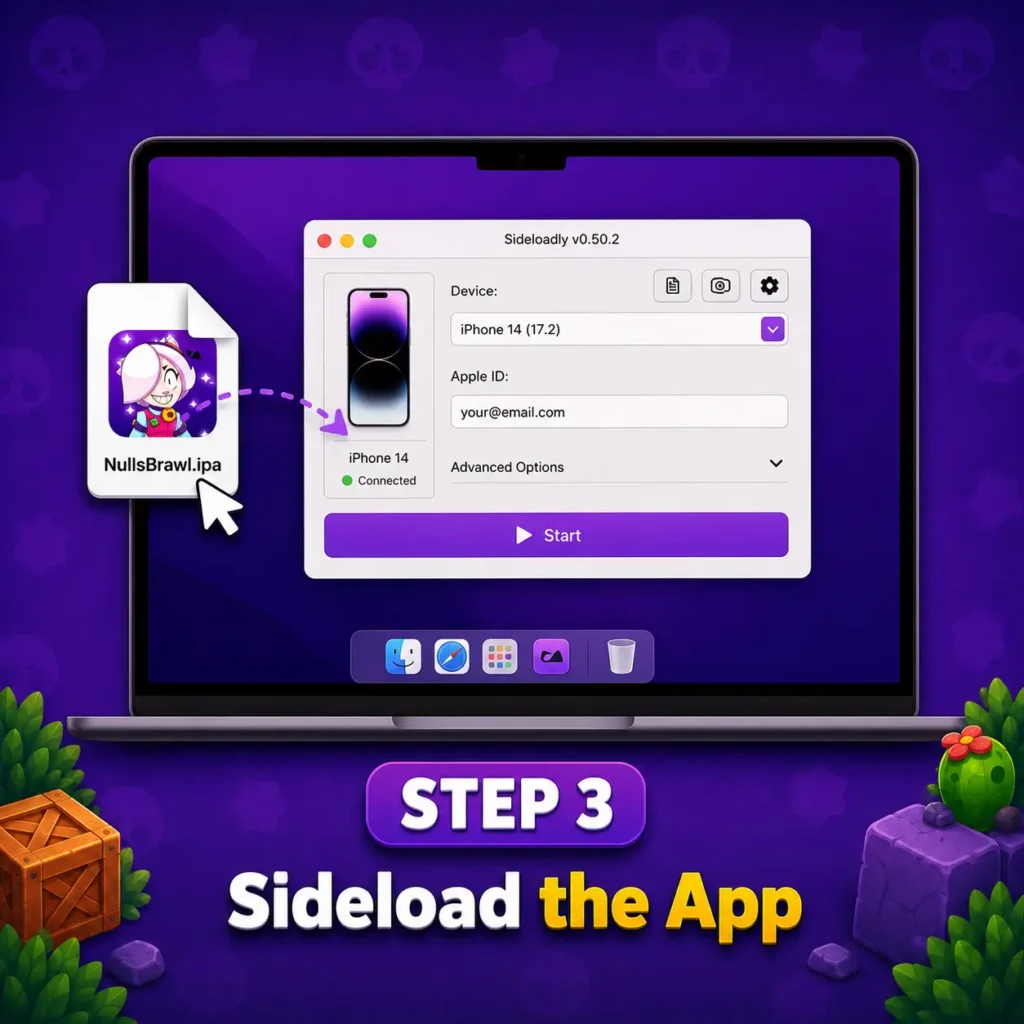
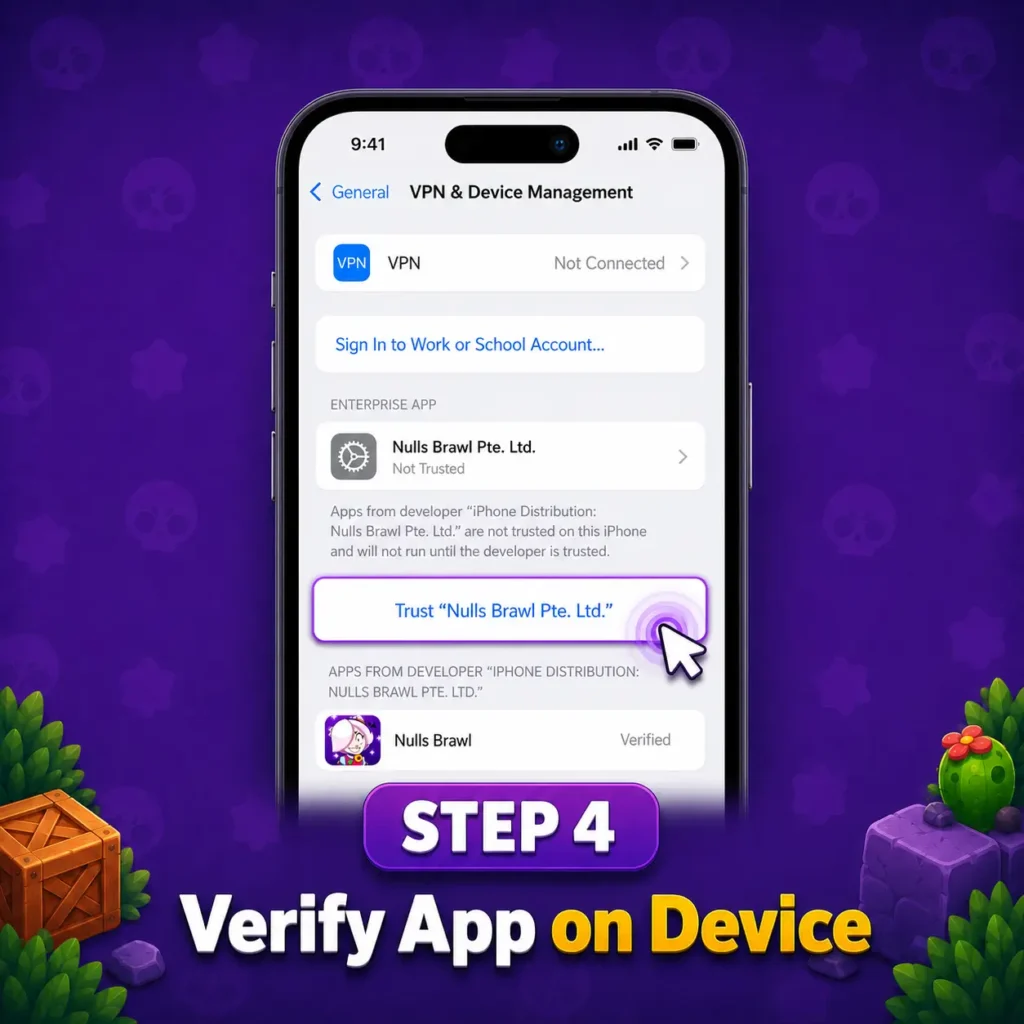
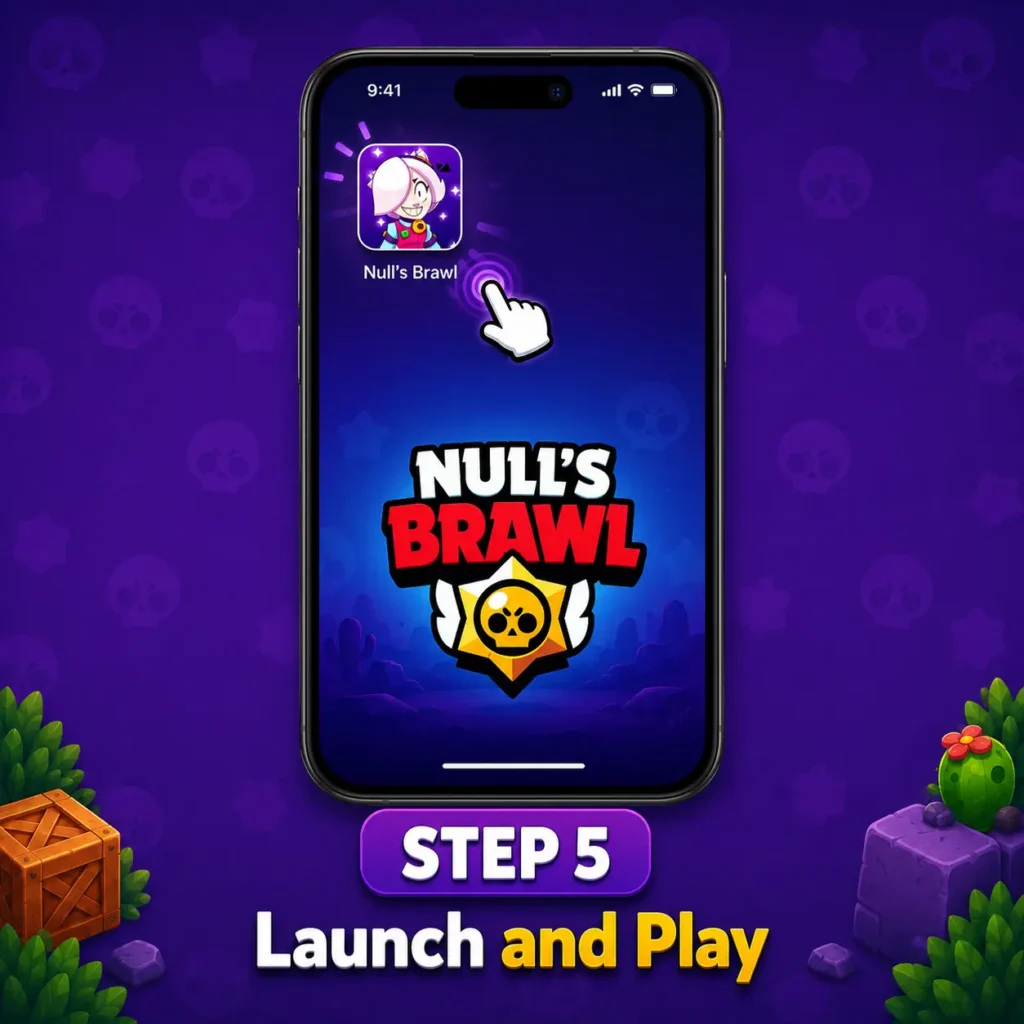
Nulls Brawl iOS Gameplay
This game offers fast, touch-friendly battles with unlocked brawlers, skins, Gadgets, Star Powers, Gears, and Hypercharges available from the start. Players can move between Showdown, Brawl Ball, Gem Grab, Knockout, Friendly Battles, and custom rooms without waiting for normal progression. On supported iPhone and iPad models, responsive controls and stable performance make aiming, dodging, and using Supers feel smooth during multiplayer matches.
Null’s Brawl iOS Features
Unlimited Resources
Unlimited resources give iOS players access to gems, coins, bling, tickets, and rewards without slow grinding.This helps unlock skins, upgrade brawlers, test premium items, and explore battle modes more freely.
Brawlers, Skins Unlocked
All brawlers and skins are available from the start, allowing players to test different characters, abilities, and visual styles.This helps iPhone and iPad users compare brawler matchups, try rare cosmetics, and build better strategies without waiting for unlocks.
Free Premium Features
Premium features such as exclusive skins, rewards, passes, and customization options are available without separate purchases.This lets iOS players explore paid content, test different setups, and enjoy more features from the beginning.
Ad-Free Gameplay
Every brawler is available at max level, giving players full access to stronger stats, upgraded abilities, and complete battle performance from the start. This helps users practice advanced tactics, compare different characters, and build better teams for modes like Showdown, Gem Grab, Brawl Ball, and Knockout.
Play Without Jailbreak
iOS users can play Nulls Brawl on iOS through an IPA file and supported sideloading tools without jailbreaking their device.This keeps the normal iPhone or iPad system unchanged while making the installation process simpler and more accessible.
Nulls Private Server
The Nulls Private Server lets Nulls Brawl iOS users play with unlocked brawlers, skins, resources, and custom battle options on a separate server. It keeps progress independent from the official Brawl Stars app while offering more freedom to test characters and strategies.
Free Brawl Pass
You’ll get the free brawl pass in the iOS version of Null Brawl to give users access to seasonal rewards, skins, coins, pins, and other premium items without payment. It also lets players explore each reward tier and collect pass content without completing the usual paid progression.
Secure IPA File
The Null’s Brawl IPA is prepared for iOS users who want a simple and reliable installation process. When downloaded from the official page, the file is less likely to contain harmful changes or unwanted software. It can be installed through direct methods or sideloading tools such as Scarlet, giving iPhone and iPad users more confidence during setup.
Unlocked Battle Features and Customization
| Gadgets | Gadgets give brawlers quick tactical actions for attack, defense, healing, or control during battles. |
| Star Powers | Star Powers improve a brawler’s main ability and help create stronger match strategies. |
| Gears | Gears add useful boosts such as speed, shield, damage, vision, or recovery support. |
| Hypercharges | Hypercharges make Supers more powerful and can change the outcome of key fight moments. |
| Buffies | Buffies provide extra upgrades that improve specific brawler abilities and battle performance. |
| Pins | Pins let players show quick reactions and emotions during matches. |
| Sprays | Sprays add visual expression on the battlefield and help personalize gameplay. |
| Emotes | Emotes give players another way to express style, reactions, and personality in matches. |
Why You Will Love Null’s Brawl for iOS
Nulls Brawl for iOS gives players quick access to unlocked brawlers, skins, resources, and custom battles on iPhone and iPad. Responsive touch controls, smooth performance, and no-jailbreak installation make it easy to enjoy. With the Nulls Brawl IPA, iOS users can explore new features, test strategies, and play with friends without the usual progression limits.
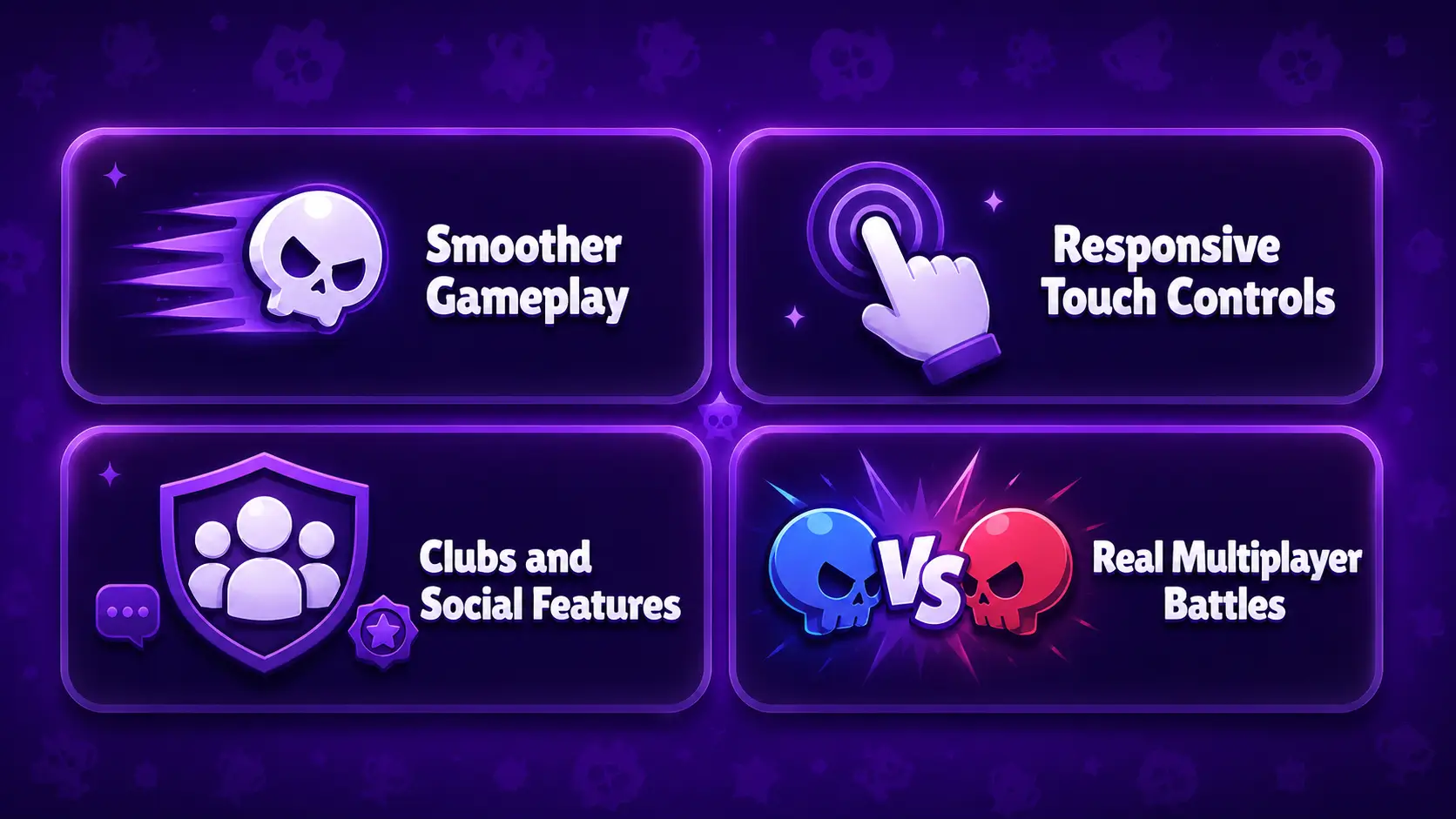
Smoother Gameplay
Nulls Brawl iOS is optimized to run more smoothly on supported ios devices, with faster loading and responsive controls. Stable performance helps iOS users enjoy battles, menus, and mode switching with fewer interruption
Responsive Touch Controls
Responsive touch controls make aiming, movement, and Super activation feel quick and accurate on iPhone and iPad screens.This helps iOS users react faster during close battles, dodge attacks, and manage abilities with better control.
Clubs and Social Features
Clubs let iOS users join active communities, build teams, and play with friends in organized matches. Social features such as chat, friendly rooms, and team invites make the experience more connected and enjoyable.
Real Multiplayer Battles
Real multiplayer battles let iOS users face other players in fast matches instead of playing against bots.This makes every game feel less predictable, with changing tactics, team coordination, and live competition.
Common Issues and How to Fix Them
- IPA Not Installing: Check that the IPA supports your iOS version and that the signing certificate is valid. Re-download the file and try sideloading again.
- App Not Opening After Install: The app may fail to open if its certificate has expired or the developer profile is not trusted. Verify the profile or reinstall the IPA.
- Unable to Verify App: Open Settings > General > VPN & Device Management and trust the developer profile. A working internet connection may also be required.
- Game Stuck on Loading Screen: Restart the app, switch to a stable Wi-Fi connection, and check whether the private server is online. Reinstall if the loading issue continues.
- Cannot Connect to Private Server: Server maintenance, network restrictions, or an outdated IPA can block access. Update the app, change networks, and try again later.
- Null’s Connect Not Working: Confirm your login details and internet connection before signing in again. If the service is unavailable, wait until the server responds normally.
Pros and Cons of Null’s Brawl
Player Reviews
What I Noticed While Playing
Nulls Brawl runs smoothly on supported iPhone and iPad models when the IPA is properly signed. Responsive controls, unlocked content, and easy access to different modes make the overall gameplay enjoyable.
Final Thoughts
Nulls Brawl for iOS gives users access to unlocked brawlers, skins, resources, multiplayer battles, and custom features through an IPA file. Its responsive controls, no-jailbreak setup, and flexible gameplay make it appealing for players who want to explore more content. For a smoother experience, users should install the file carefully, keep the signing certificate active, and save progress with Null’s Connect.